RPGMT - Party Switch Plugin
RPGMT Party Switch for RPG Maker MZ
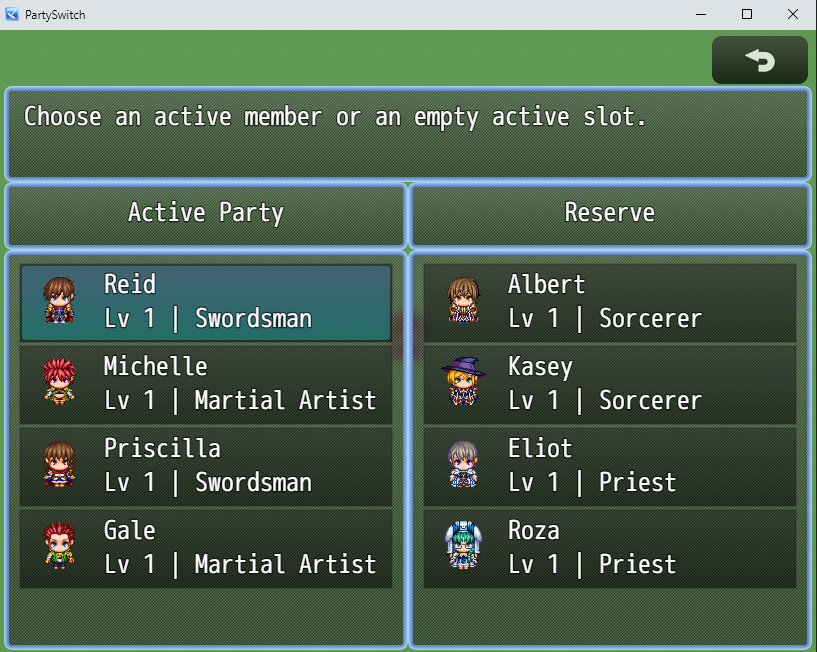
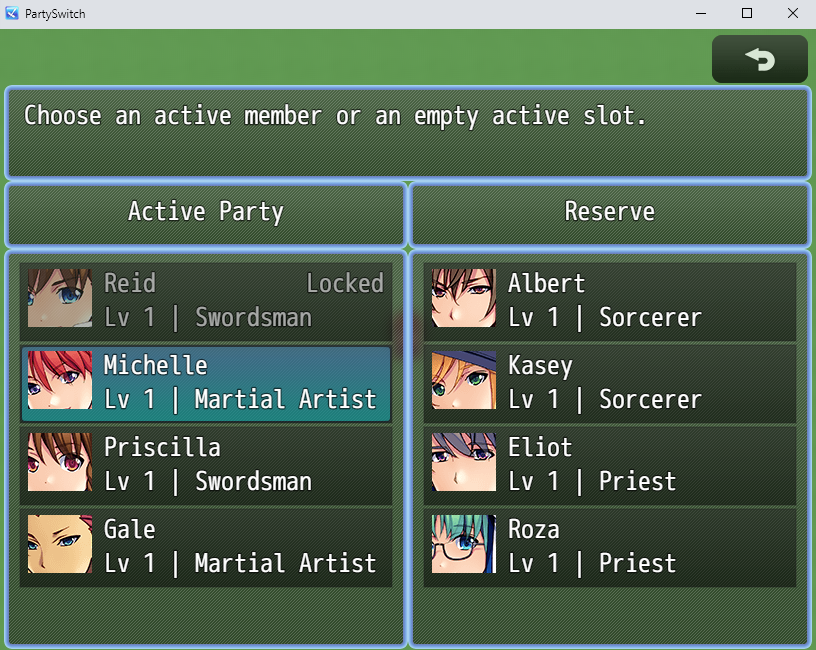
RPGMT Party Switch adds a flexible party management system to RPG Maker MZ. Players can switch active party members, manage reserve characters, unlock new actors during the game, and control which characters must stay in the active party.
Features
- Custom party switch menu for RPG Maker MZ
- Active party list and reserve member list
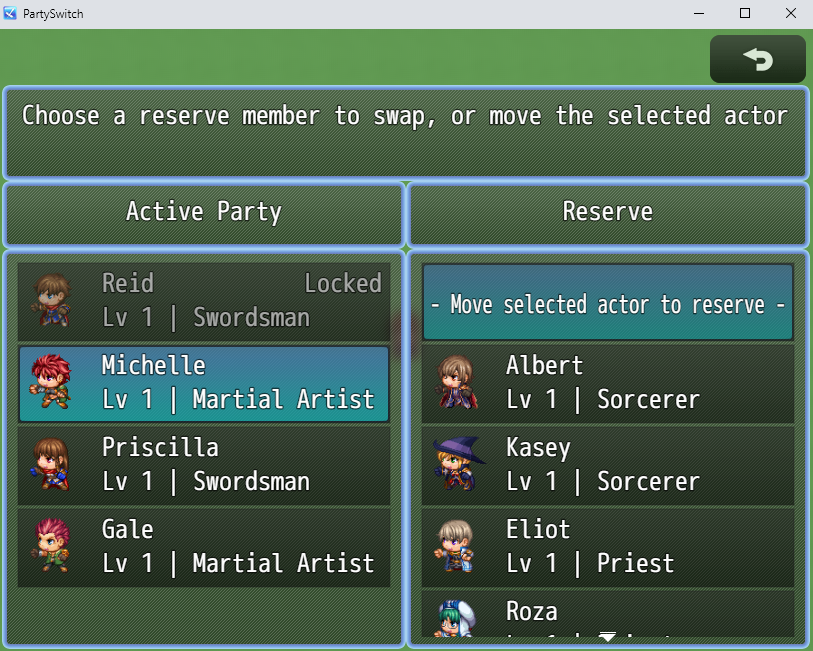
- Swap active characters with reserve characters
- Move characters from the active party to the reserve
- Move reserve characters into empty active party slots
- Add actors to the reserve list with plugin commands
- Remove actors from the reserve list with plugin commands
- Clear the reserve list with a plugin command
- Lock specific actors so they cannot be removed from the active party
- Change actor lock states during the game with plugin commands
- Locked actors are automatically moved into the active party
- If the party is full, the last unlocked actor is moved to reserve
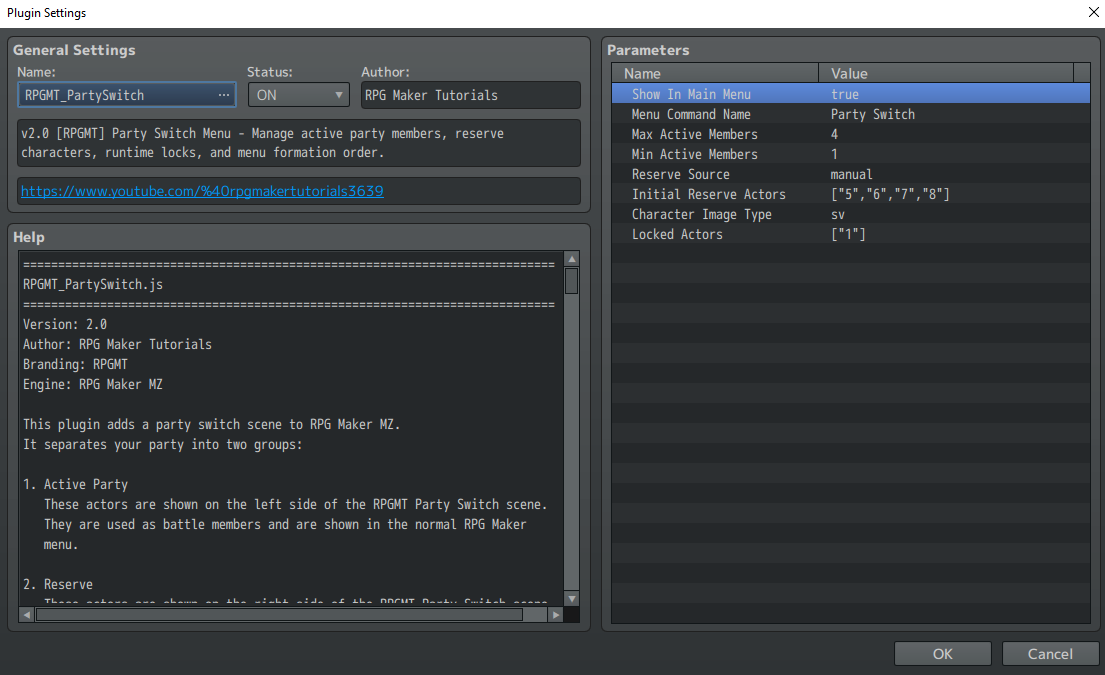
- Choose how character images are displayed: Face, Character Sprite, or SV Battler
- Optional main menu command
- Configurable active party size
- Configurable minimum active party size
Reserve System
The plugin includes a separate reserve system. You can decide how reserve members are handled:
- Manual Reserve List: Add reserve characters through plugin commands.
- Party Members: Use internal party members who are not currently active.
- All Database Actors: Allow all database actors to appear as reserve members.
This makes the plugin useful for story-based party systems, recruitable characters, tactical RPG-style team management, or games where the player unlocks new characters over time.
Locked Actors
You can mark specific actors as locked. Locked actors cannot be moved into the reserve or replaced by another character.
Actors can also be locked or unlocked during the game with a plugin command. When an actor is locked, the plugin automatically moves that actor into the active party. If the active party is already full, the last unlocked actor is moved to the reserve.
Character Display Options
Choose how actors are displayed in the party switch menu:
- Face graphic
- Character sprite
- SV Battler graphic
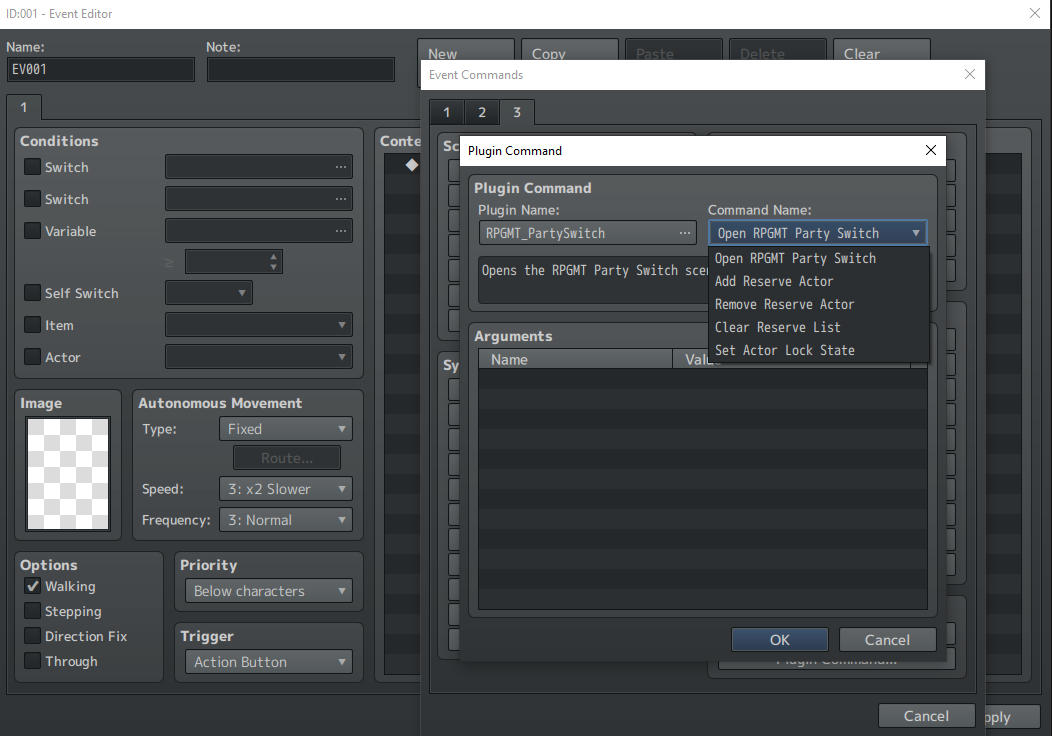
Plugin Commands
- Open Party Switch: Opens the party switch menu.
- Add Reserve Actor: Adds an actor to the reserve list.
- Remove Reserve Actor: Removes an actor from the reserve list.
- Clear Reserve List: Clears all reserve actors.
- Set Actor Lock State: Locks or unlocks an actor during the game.
Use Cases
- Recruitable characters
- Story characters that must stay in the party
- Party selection before dungeons
- Reserve member systems
- RPGs with more playable characters than active battle slots
- Games with fixed protagonist characters
Requirements
- RPG Maker MZ
Installation
- Download the plugin file.
- Place RPGMT_PartySwitch.js inside your project's js/plugins folder.
- Enable the plugin in the RPG Maker MZ Plugin Manager.
- Adjust the plugin parameters to fit your game.
Terms of Use
- Can be used in commercial and non-commercial RPG Maker MZ projects.
- Credit is appreciated but not required unless stated otherwise in the included terms.
- Do not redistribute or resell the plugin file as a standalone product.
AI Assistance Disclosure
AI was used as a development assistant for parts of the code, page text, and promotional graphics. The plugin concept, feature direction, testing, RPG Maker MZ setup, documentation review, bug fixing, and final release decisions were handled manually.
Legal / Imprint
Imprint / Impressum:
David Kristall
David Kristall Softwareentwicklung
Solbergweg 20
44225 Dortmund
Germany
Contact:
E-Mail: rpgmt.dev@gmail.com
Purchase
In order to download this tool you must purchase it at or above the minimum price of $1.99 USD. You will get access to the following files:
Leave a comment
Log in with itch.io to leave a comment.